Close-up
Close-up Close-up Shot CU
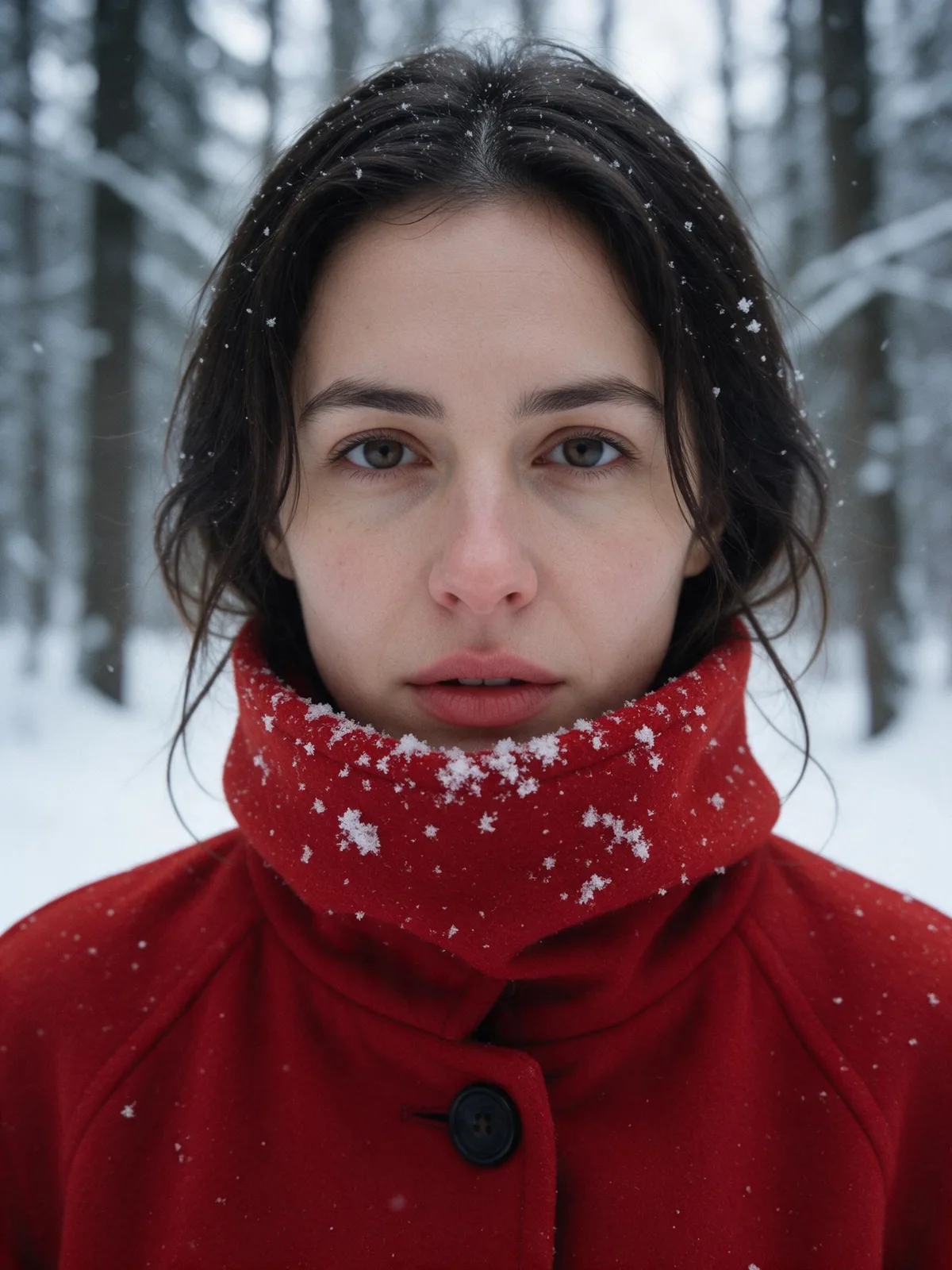
Composition & FramingA Close-up is a shot size where a person's head and shoulders or a small object fills the frame, used to clearly present expressions and textures while minimizing environmental context.
Also known as: Close-up Shot · CU
- Midjourney
- Sora
- Kling
- Runway


Prompt snippets
Close-up of a woman in a red coat in a snowy forest, her head and shoulders filling the frame, snowflakes caught on her red collar, cold overcast light, shallow depth of field --ar 4:5A close-up of a barista's hands finishing a latte, the cup filling most of the frame, steam rising slowly, warm morning light, shallow depth of field.Close-up shot, a young woman's head and shoulders filling the frame, eyelashes and skin texture clearly visible, soft window light, slightly blurred background, calm mood.Close-up of a vinyl record spinning on a turntable, the record filling the frame, warm lamp light, subtle reflections, shallow depth of field.
What it is
A Close-up is one of the tightest framing options in the Shot Size system. When shooting a person, the frame typically runs from the top of the head to the shoulders; when shooting an object, a small item fills the entire frame. It excludes the environment even more aggressively than a Medium Close-up, leaving the viewer with nowhere else to look.
Visual and emotional effect
A Close-up amplifies facial expressions into the main subject of the frame. Wrinkles, eye movements, and subtle changes around the mouth become highly visible, naturally creating a sense of intimacy and intensity. When applied to objects, it elevates everyday items into subjects worth scrutinizing, which is why product shots in advertising almost always rely on this framing.
When to use it
Use it when the audience needs to read a shift in a character’s emotion, when introducing a key prop, or to create a rhythmic pause within a sequence of Medium Shots and Wide Shots. In editing, close-ups are also frequently used to mask spatial jumps between two shots.
Prompt tips
- Define the framing boundaries.
head and shoulders filling the frameis much more reliable than justclose-up, which models often interpret as a half-body shot. - Separate the background using Shallow Depth of Field. Add
shallow depth of fieldorblurred backgroundto prevent environmental elements from stealing focus. - Add a texture keyword. Descriptions like
weathered skinorfabric textureprompt the model to render details sharply rather than blending them into a smooth blur.
Common mistakes
- Confusing it with an Extreme Close-up. If you want a frame showing only a single eye, use an Extreme Close-up; adding
macroto a standard close-up will often break the composition. - Scaling up without adding detail. Without texture descriptions, models tend to generate smooth, plastic-looking skin.
- Ignoring the aspect ratio. For portrait close-ups of a person,
--ar 4:5or3:4fits the vertical head-and-shoulders composition much better than16:9.